
Appearance
Dashboard
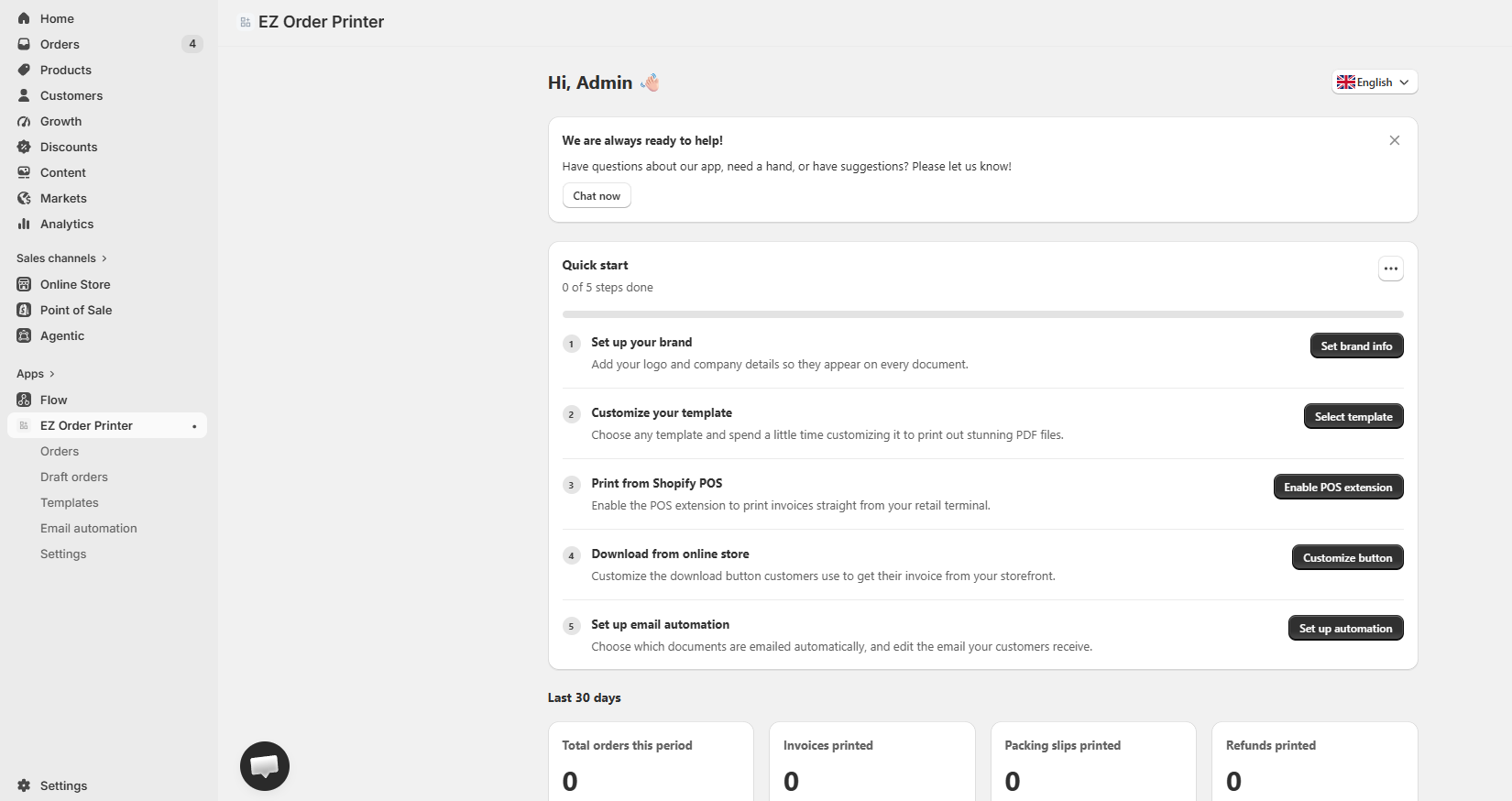
The Dashboard is the central hub of EZ Order Printer, giving you a complete overview of your document operations, quick onboarding setups, extension statuses, and direct access to all core modules.
App Navigation (Sidebar)
From the left sidebar navigation under EZ Order Printer, you can easily access the primary features of the app:
- Dashboard (EZ Order Printer): View your onboarding guide, performance metrics, and storefront extension statuses.
- Orders: Manage all standard Shopify orders, print invoices, and download/send PDFs in bulk or individually.
- Draft orders: Access and export invoice documents for draft or pending orders.
- Templates: Choose, design, and customize layouts for invoices, packing slips, refund receipts, and pick lists.
- Email automation: Configure automated triggers to send invoices or receipts directly to buyers via email.
- Settings: Manage company details, branding assets, tax configurations, and general app preferences.
Quick Start Guide
The Quick Start onboarding checklist helps you configure the essential features in 5 simple steps:
- Set up your brand: Add your store logo, legal company information, and contact details to display across all documents.
- Customize your template: Select a ready-made template and customize colors, typography, and content fields.
- Print from Shopify POS: Enable the POS extension to print physical receipts and invoices directly from your retail checkout terminal.
- Download from online store: Customize and display invoice download buttons on customer-facing store pages.
- Set up email automation: Define rules to automatically deliver PDF documents to customers upon payment or order fulfillment.
Analytics (Last 30 Days)
Track your document printing volume and usage trends over the last 30 days:
- Total orders this period: Total number of store orders recorded in the 30-day window.
- Invoices printed: Total number of PDF invoices generated and printed.
- Packing slips printed: Total number of packing slip documents processed.
- Refunds printed: Total number of credit notes and refund receipts exported.
Extension Status
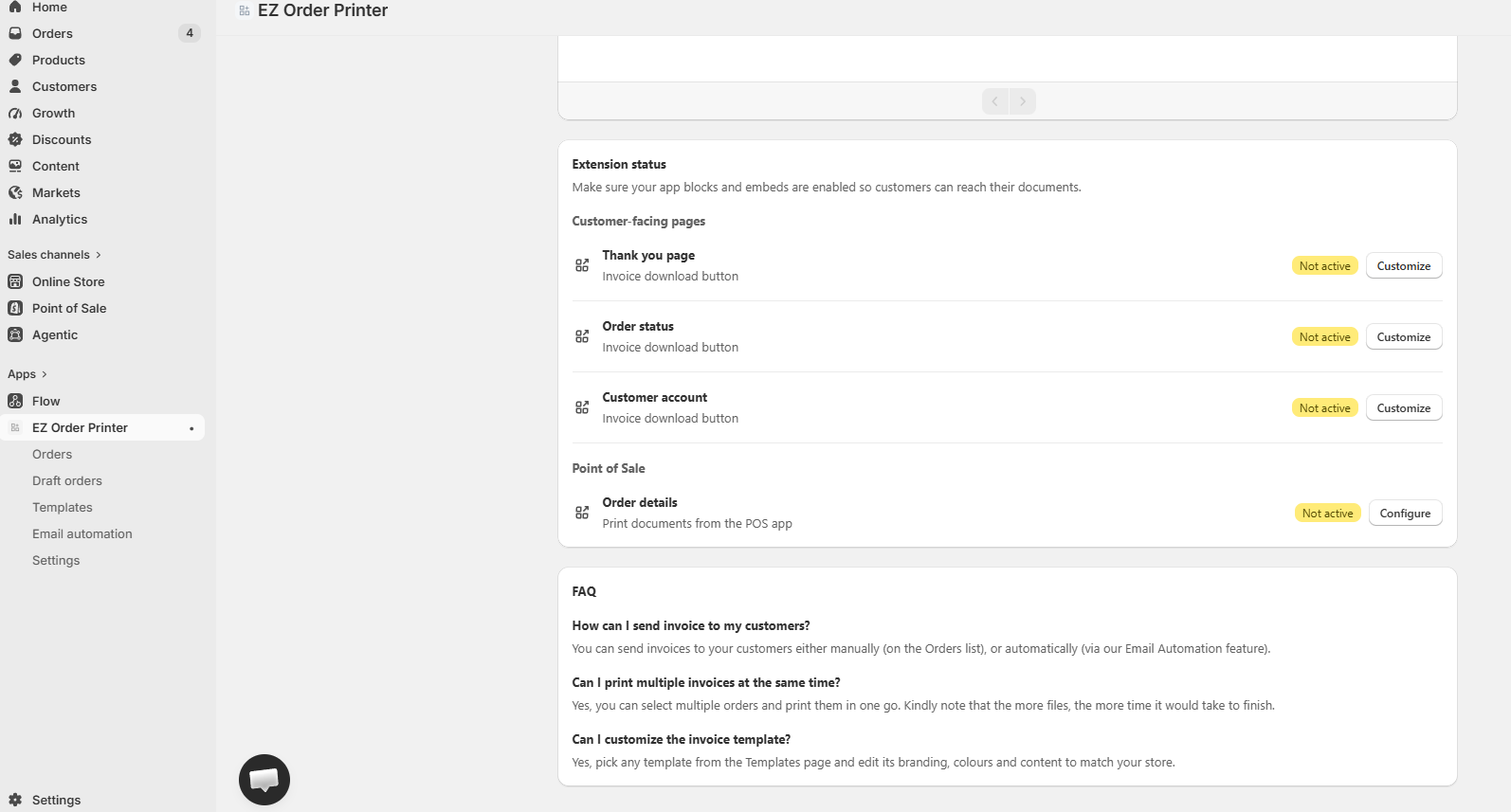
Monitor and configure where invoice download actions appear across your channels:
Customer-Facing Pages
- Thank you page: Embed a direct PDF download button immediately after checkout completion.
- Order status: Allow buyers to view and download invoices while checking their shipment tracking.
- Customer account: Enable invoice retrieval links directly inside the customer order history dashboard.
Point of Sale (POS)
- Order details: Enable the POS extension to print invoices directly from the Shopify POS application.
Frequently Asked Questions (FAQ)
Answers to common questions about managing, printing, and automating your store invoices with EZ Order Printer.