Appearance
Template Editor
The Template Editor is a powerful visual customization tool that lets you modify the structure, design, language, and content fields of your document templates in real time.
Workspace Layout Overview
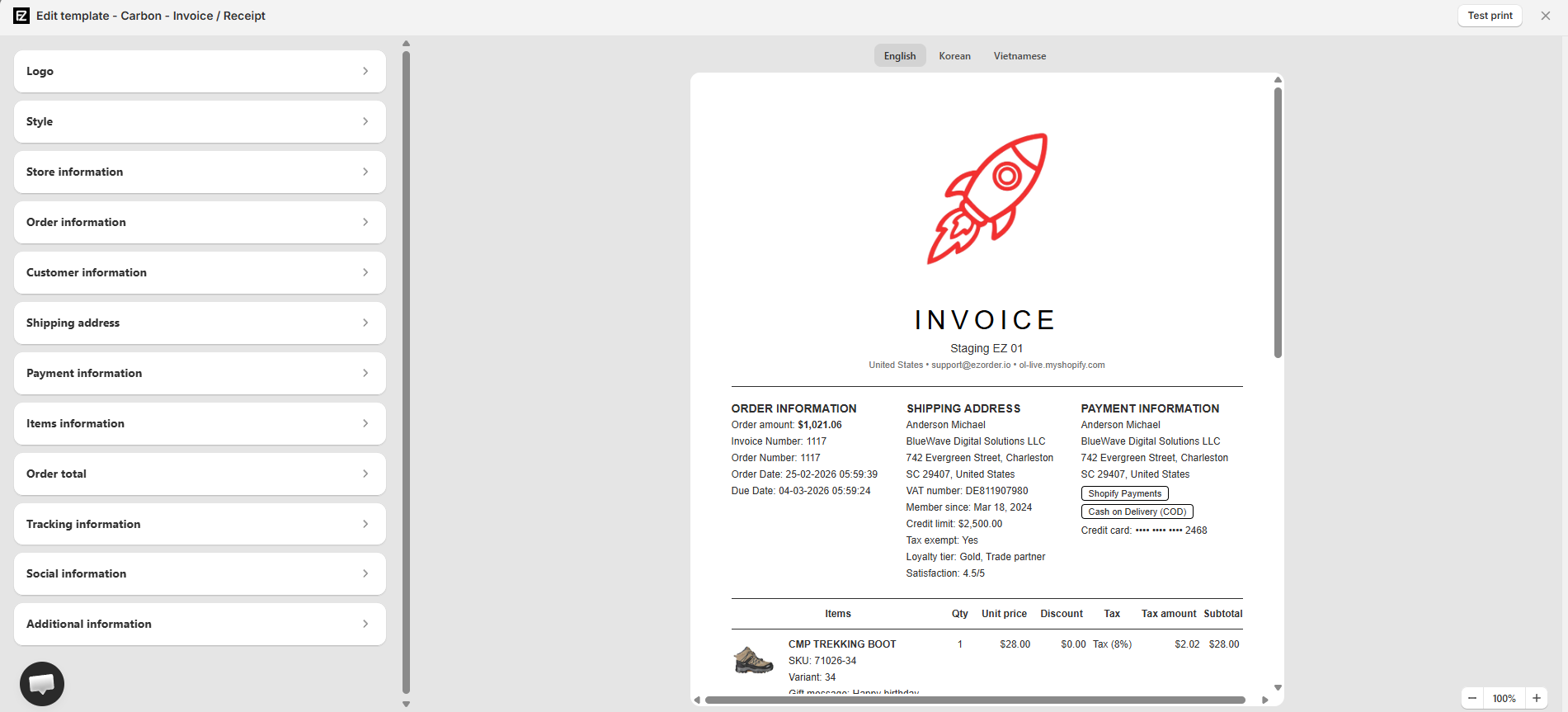
The Template Editor interface is divided into three main operational areas:
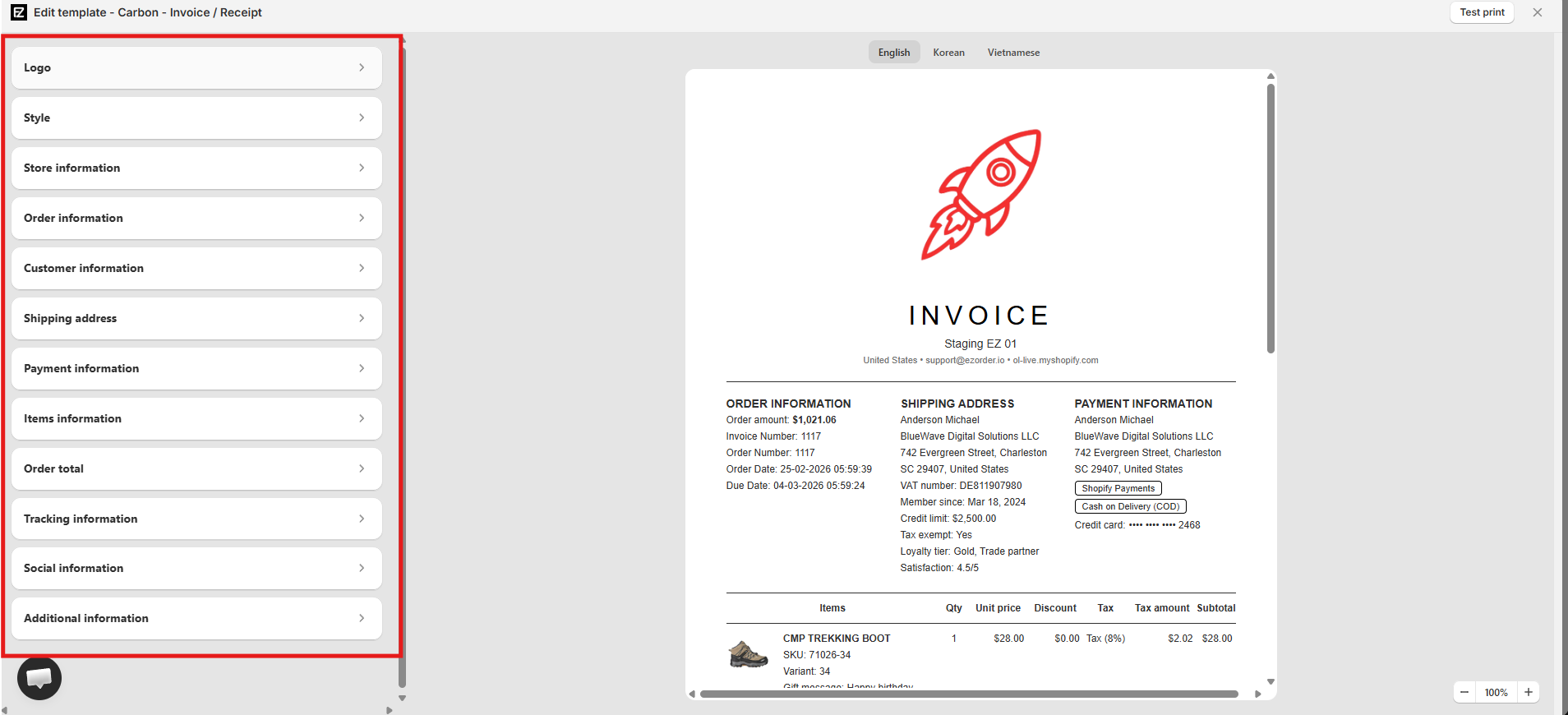
- Left Sidebar (Configuration Panel): Contains collapsible accordion sections to customize every specific content area of your document (branding, fonts, order details, line items, and totals).
- Center Canvas (Live Preview): Displays a real-time visual representation of your document layout as you make changes.
- Top & Bottom Toolbars: Provide global options such as language selection, canvas zooming, and print testing.
Multi-Language Support
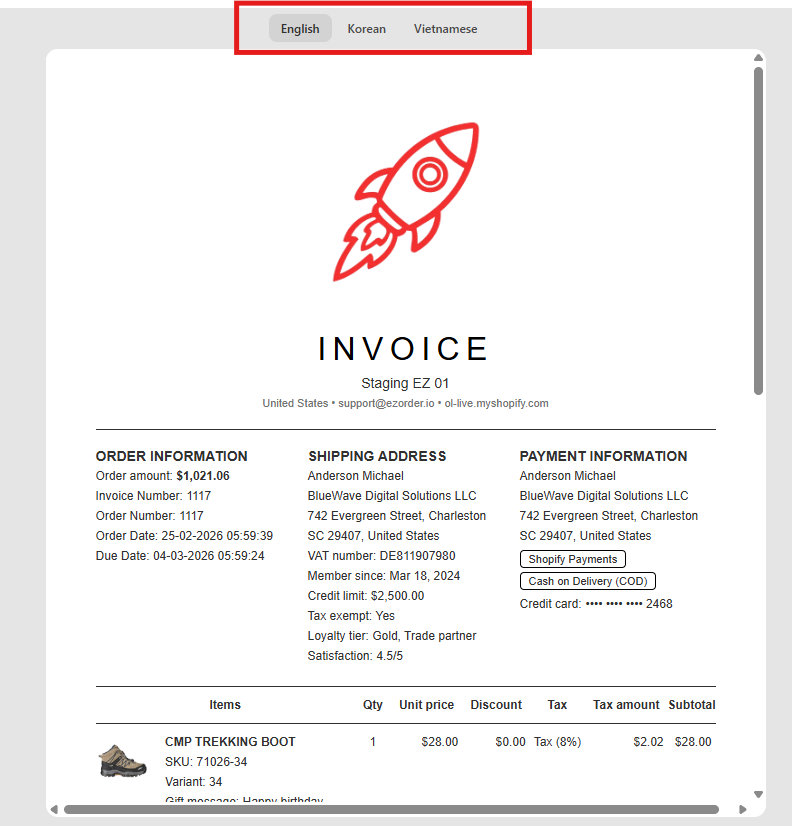
Easily localized documents for international buyers using the top language switcher bar.
- Language Selector: Switch between available document languages (e.g., English, Korean, Vietnamese) at the top of the canvas to preview localized labels and translate static text.
- Real-time Preview: Selecting a language instantly updates document headers, column labels, and system tags to reflect the chosen locale on your printed invoices.
Customization Sections
Use the collapsible panels on the left sidebar to fine-tune each section of your template:
Logo
Configure your store's branding image on the document header:
- Show logo: Toggle to display or hide the logo on the document header.
- Logo image: Upload a graphic file directly or select an existing asset from your store library.
- Width & Custom height: Adjust the display scaling slider or set custom height dimensions.
Style
Set global visual styling and typography attributes:
- Primary & Accent colors: Pick custom hex colors for document headings, borders, and highlight badges.
- Font size & Font family: Select your preferred typeface (e.g., Arial) and adjust the baseline font size.
- Show background image: Enable or disable background graphic elements across your document layout.
Store Information
Display key business details synced from your store profile:
- Contact & Address Details: Toggle visibility for Company name, Store address, Store email, Store phone number, and Store domain.
- Legal & Banking Identifiers: Optionally display your Tax number, Business registration number, and Bank account details for official invoicing.
INFO
Store information values are dynamically pulled from your main store profile. You can update these values under Settings.
Order Information
Customize order identifier tags, timestamps, and formatting:
- Amount: Toggle total order amount visibility on the order summary block.
- Order ID: Display standard Order number, Custom order number, Invoice number, Custom invoice number, or Purchased number.
- Date & Date format: Choose to display Order date and Due date, and select your preferred timestamp layout from the dropdown menu.
Customer Information
Control buyer metadata and custom fields on the document:
- Customer note: Show special instructions or notes left by the customer during checkout.
- Customer metafields: Add dynamic customer-level metafield keys (e.g.,
custom.test_customer_metafiled) to display custom buyer attributes on your template.
Shipping Address
Configure recipient shipping details and fallback rules:
- Address Fields: Toggle visibility for Customer name, Customer company, Customer address, and Customer phone number.
- Fallback Rule (When the order has no address): Define fallback behavior for orders placed via Shopify POS or Admin draft orders (e.g., select Leave blank or print saved customer address).
Payment Information
Display transaction details and billing addresses:
- Billing Details: Toggle visibility for billing Customer name, Company, Billing address, Phone, Payment method used (e.g., COD, credit card), and masked Credit card number.
- Fallback Rule: Configure fallback behavior when no billing address exists for Admin or POS transactions.
Items Information
Customize the line-item table structure, product attributes, and metafields:
- Product Details: Toggle display for product images, SKUs, product weight, variant titles, and product types.
- Quantity & Returns: Show total line item quantities, adjust quantities following refunds/returns, or display exchange item tables on return slips.
- Metafields: Inject custom product or variant metafield keys directly into line item rows.
- Additional Information: Render line item properties, HS Codes for commercial invoices, item barcodes, and product tags.
Order Total
Configure financial summary breakdowns and tax calculations:
- Summary & Shipping: Control visibility for Subtotal, Order discounts, Discount reasons, Order shipping fees, Shipping method names, and Restocking fees (for refund slips).
- Tax & Duties: Toggle Order tax lines, choose to exclude tax from order total, group individual tax lines, or display custom Order duties.
- Payment Summary: Display line items for Amount paid by customer, Refunded amount, Net payment, and remaining Order balance due.
Tracking Information
Display fulfillment shipment details on customer-facing documents:
- Fulfillment Data: Show shipping carrier/company names, tracking numbers, and direct tracking URLs.
- Packing Slip Partially Label: Display a status indicator badge for partial order fulfillments.
Translation Note
Custom text labels for tracking status and fulfillment tags can be edited via the Translation settings page.
Social Information
Embed clickable social media icons in your document footer to drive customer engagement:
- Icon Styling: Select the Social icon size (e.g., Small, Medium, Large), choose custom Social icon color, or toggle Social icon native color to retain official brand colors.
- Social Channels: Toggle and enter profile URLs for platforms including Facebook, Instagram, LinkedIn, Twitter (X), Threads, YouTube, Pinterest, TikTok, Snapchat, WhatsApp, Vimeo, and Medium.
Additional Information
Configure barcodes, custom notes, order-level metafields, and document watermarks:
- Barcode: Enable Order barcode, select a Barcode format (e.g., 1D Barcode, QR CODE), set the Barcode color, and specify Custom barcode content using dynamic Liquid variables (e.g.,
store.domain). - Notes: Choose to display internal Order note, Order tag, or a custom Footer note text box.
- Metafields: Toggle Order metafields and specify dynamic order-level keys (e.g.,
custom.test_order_metafield) to display custom order attributes. - Paid watermark: Toggle a visual "PAID" stamp across the background of fully paid invoices.
Test Print
Before saving your layout, verify how the template renders on paper or as an exported PDF:
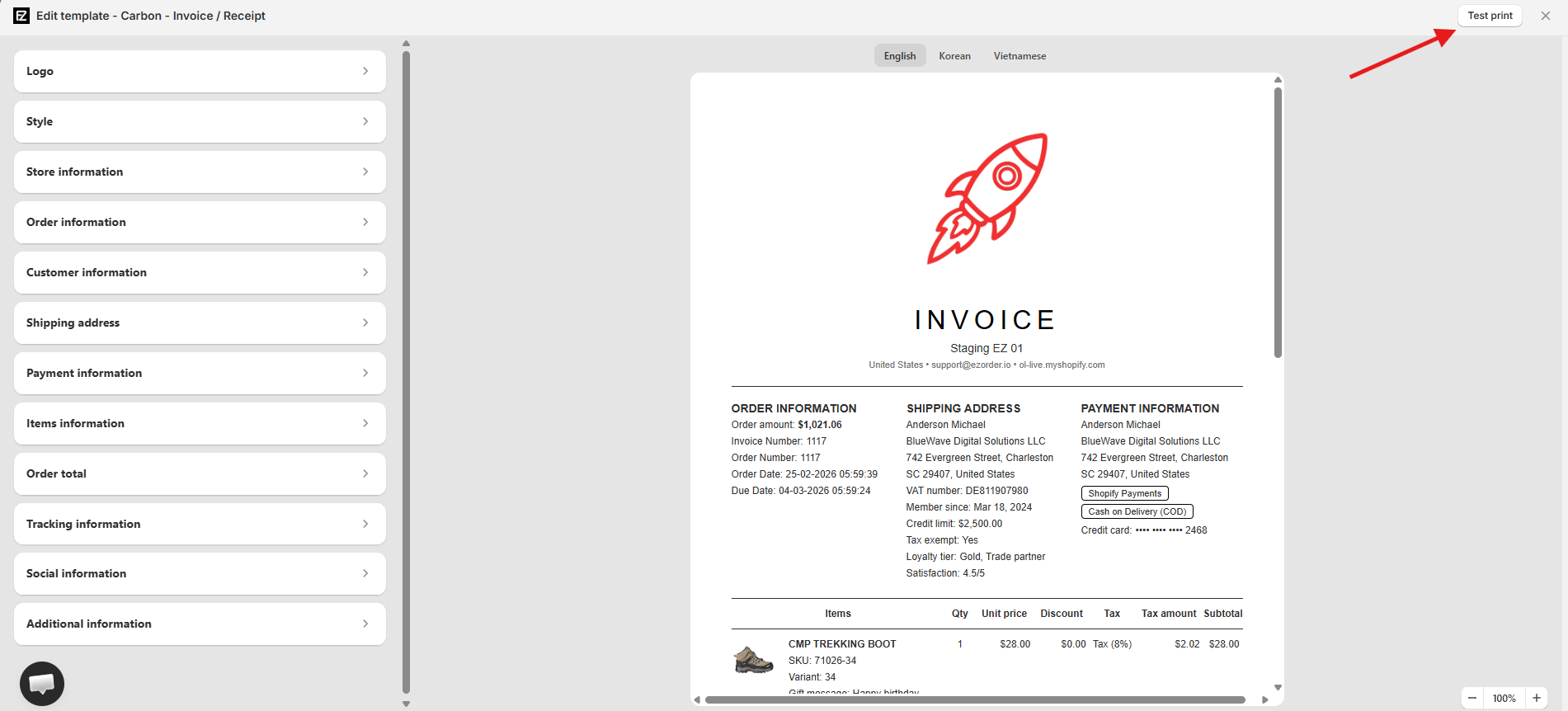
- Click the Test print button located in the top-right corner of the editor screen.
- The document opens immediately in your browser's print preview window loaded with sample data.